

BGMI khelte waqt tumhari bullets upar ja rahi hain? Enemy par shots connect nahi ho rahe?
Tension mat lo — ye ek common problem hai aur iska solution bhi hai.
Is blog me main simple tareeke se recoil control kaise improve karna hai aur kaunsi settings tumhare liye best rahengi, dono cover karunga.
Agar tumhari sensitivity unstable feel hoti hai, to pehle hamara BGMI Sensitivity Guide 2026 read karo, jisme custom sensitivity create karne ka simple method explain kiya gaya hai.
Best Recoil Control Basics
Let’s understand the real reasons behind it.
Part 1: Recoil Control Guide
Let’s begin.
Recoil control simple lagta hai, but actually it’s not.
Sirf finger drag karna enough nahi hota — proper control aur practice chahiye.
Point 1: Stop Copying Sensitivity
The very first and biggest mistake you have ever made is copying someone else’s sensitivity.
It doesn’t matter if you copied it from a professional player or from your best teammate.
Every player has their own layout, their own playstyle, and their own muscle memory. You cannot play exactly like them just by copying their layout or sensitivity.
This is a brutal fact.
Stop copying sensitivity and controls. Start creating your own.
It might feel difficult in the beginning, but trust me, it will be worth it in the long run.
The real reason why I don’t recommend copying sensitivity is simple:
First, not every player uses the same device as you.
Second, even if someone has the exact same device, your muscle memory will never match theirs.
That difference alone changes everything.
Point 2: Stop Giving Excuses
The second and most important reason is your habit of giving excuses.
After every bad spray, players start blaming something:
“Oh, my device lagged.”
“Oh no, aim assist ruined my aim.”
“My gyro got delayed.”
But the truth is — most of the time, the problem is your control, not the system.
The moment you stop giving excuses is the moment you start improving.
If you keep blaming external factors, you will stay at the same level forever.
Bad spray ke baad kaafi players turant device, lag ya aim assist ko blame kar dete hain. Kabhi-kabhi ye reason ho sakta hai, lekin mostly problem aim control, sensitivity habit ya practice routine me hoti hai.
Point 3: Gyro vs Non-Gyro Myth
Whether you are a gyroscope player or a non-gyroscope player, you need to break this mindset that recoil control is harder without gyro.
The reality is, recoil control is difficult in both categories.
Just because someone sprays like a laser doesn’t mean they are using gyroscope.
I have personally seen non-gyro players controlling Beryl with a 6x scope better than many gyro players — and it’s honestly surprising.
What matters is skill, not the setting.
There is one simple trick you should know:
For long-range fights, start your spray from the enemy’s legs.
As the recoil naturally moves upward, your bullets will connect to the body and head.
This technique helps you land more shots and finish enemies faster.
Point 4: Practice with High Recoil Guns
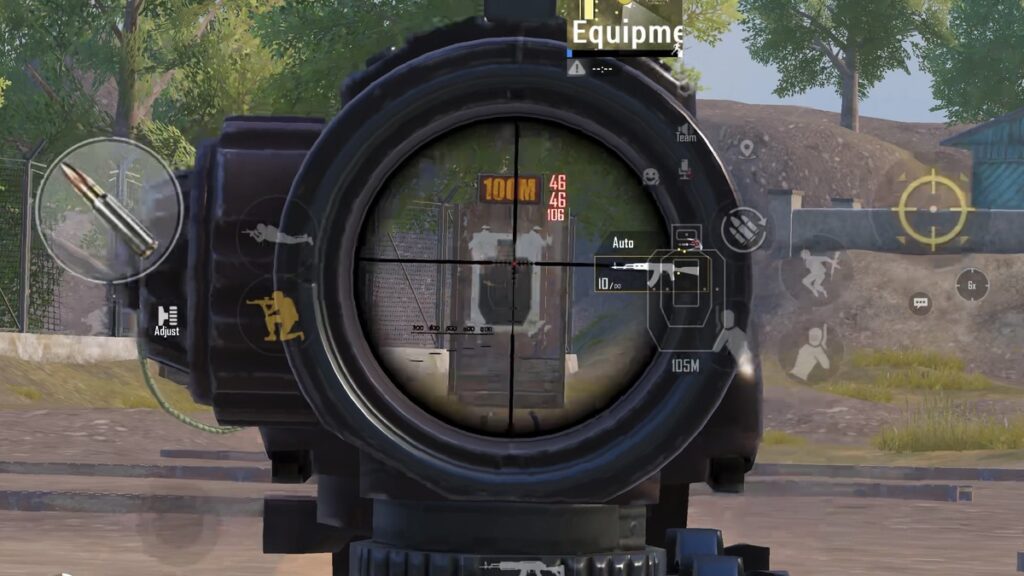
This point is about your drills, accuracy, and use of proper practice methods.
You might have watched many drill videos, but the real question is — have you actually practiced them?
To improve your recoil control, start using high recoil weapons like Beryl and MK14.
Try using them without attachments.
At first, you may not be able to control them properly, but this will force your aim to improve.
Once you switch back to guns like SCAR-L or M416, your sprays will feel much more stable and accurate.
You can also try this advanced drill:
Use a 6x scope on Beryl in the training ground and practice continuously for 30 minutes daily.
Recoil control aur tracking ko step-by-step improve karne ke liye hamara How to Improve Aim in BGMI guide bhi helpful rahega.
Agar tum is drill ko daily follow karte ho, to recoil drag, tracking aur spray control gradually improve ho sakta hai.
Point 5: Train for Real Fights
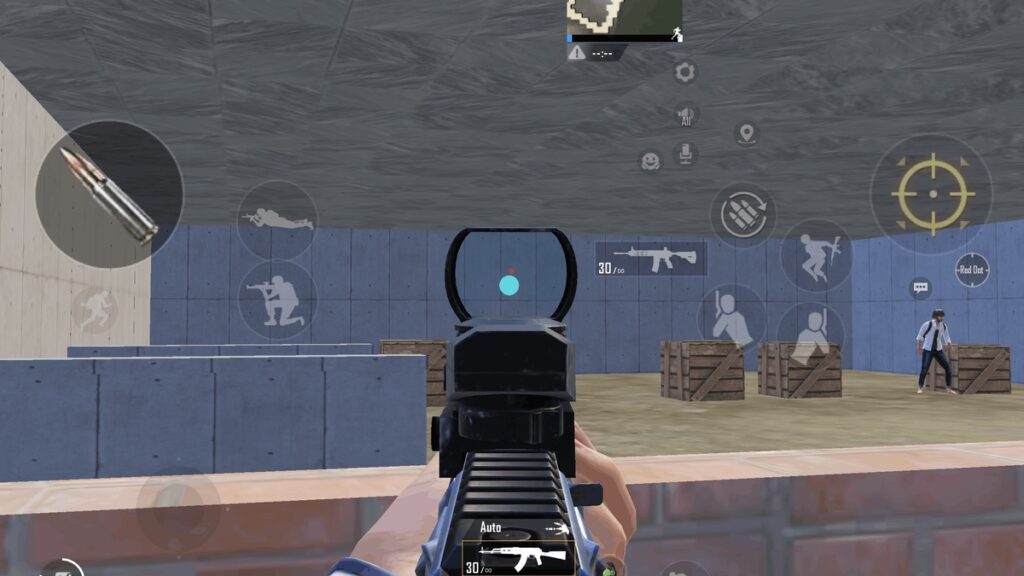
Training is the most important part of improvement.
Most players will tell you to go into training mode, pick a gun, and spray on a wall.
Yes, this method works — but only to a certain extent.
The problem is, your real enemies are not walls.
They move, crouch, jump, and constantly change direction.
You never know where they will go next.
Because of this, your spray can become unstable during real fights.
That’s why you need to train in a smarter way.
Practice on moving targets.
Work on your tracking along with your spray control.
Also, use crouch + peek before firing.
This helps you stabilize your aim and control recoil more effectively.
With consistent practice, your spray will start feeling smooth and controlled — almost like a laser.
( necha Hinglish me hai )
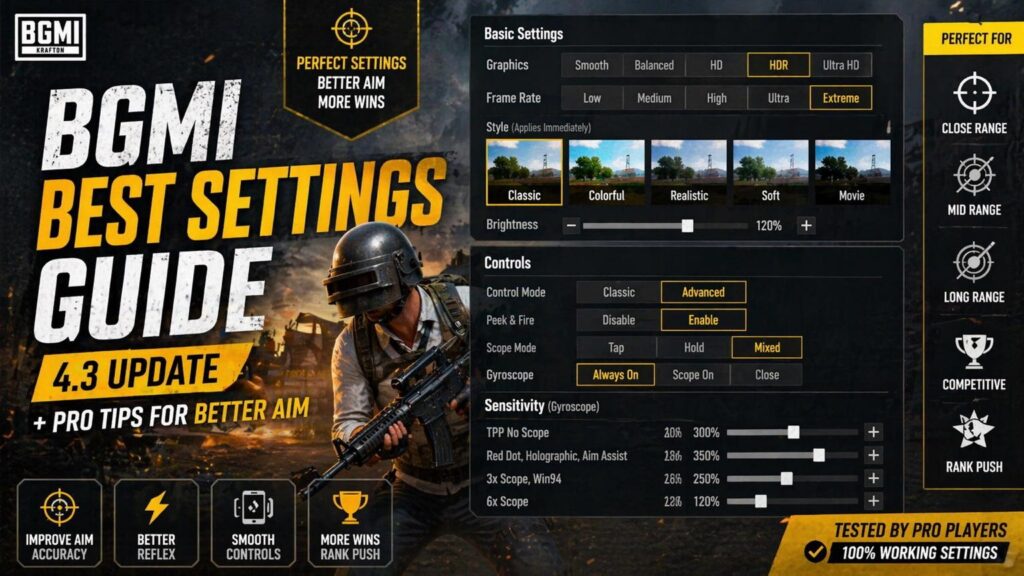
Part 2: Best BGMI Settings (4.3 Update)
# 🎮 BGMI 4.3 Update – Complete Settings Guide (Basic to Advanced)
BGMI ka 4.3 update aane ke baad almost sabhi settings idhar se udhar ho gayi hai aur pura layout change ho chuka hai. Bahut saare players confuse ho rahe hain ki kaunsi setting kya karti hai aur kaunsi best rahegi.
Aaj ke is blog me main tumhe basic se lekar advanced tak wo sab settings samjhaunga jo tumhare gameplay ke liye important hain, taaki tum apna full potential use kar sako aur fights easily jeet sako.
—
## 🔹 Scope Settings
Sabse pehle baat karte hain scope settings ki, jo aim aur fights dono me sabse important role play karti hai.
### Scope Mode
Scope Mode me tumhe 3 options milte hain:
Tap:
Isme tum scope button dabate ho to scope open hota hai aur dobara click karne par close ho jata hai. Ye beginners ke liye simple lagta hai lekin close fight me ye sabse risky hota hai.
Hold:
Isme jab tak tum scope button hold karke rakhoge tab tak scope open rahega aur finger hatate hi close ho jayega. Ye control aur timing dono me better hai.
Mixed:
Isme Tap aur Hold dono ka combination hota hai, lekin real gameplay me ye confuse karta hai.
👉 Mera suggestion: Tap bilkul use mat karo, kyuki close fight me galti se scope open ho gaya to tum easily crate ban sakte ho.
✔️ Best option: Hold Mode
—
### Camera Rotation while ADS
Agar tum notice karte ho ki firing ke time tumhara aim control me nahi rehta aur idhar-udhar hilta hai, to ye setting uska main reason ho sakti hai.
Jab ye ON hoti hai, to scope button ko thoda bhi move karne par tumhara aim bhi move karta hai, jo accuracy ko kharab karta hai.
👉 Mera experience: Starting me mere sath bhi ye problem hoti thi, aim stable nahi rehta tha.
✔️ Best setting: OFF rakho
—
### Quick Scope Switch
Is setting ka use bahut simple aur powerful hai. Isse tumhe scope change karne ke liye backpack open nahi karna padta.
Game me ek extra scope button aa jata hai jisse tum easily fight ke beech me scope change kar sakte ho.
✔️ Always ON rakho – fast gameplay ke liye must hai.
—
### Focal Length Adjustment
Agar tum 6x ya 8x scope use karte ho to ye setting tumhare liye important hai.
Normally tum tap karke zoom adjust karte ho, lekin is setting ko Hold par rakhne se tum smoothly zoom in-out kar sakte ho, jo long range fights me kaafi help karta hai.
—
## 🔹 Peek Settings
Ab baat karte hain peek settings ki jo close fights aur cover fights me bahut important hoti hai.
### Peek Mode
Isme bhi tumhe Tap, Hold aur Mixed options milte hain.
Tap me problem ye hai ki fight ke beech me galti se press ho gaya to tumhara character slow ho jata hai aur tum easy target ban jaate ho.
✔️ Best: Hold Mode
Ye tumhe full control deta hai aur unnecessary mistakes avoid hoti hai.
—
### Camera Rotation while Peeking
Is setting se tum peek karte waqt aim ko move kar sakte ho ya nahi, ye control hota hai.
– Non-gyro players ke liye ye useful hai
– Gyro players ke liye itna important nahi hai
👉 Suggestion:
Non-gyro → ON
Gyro → OFF
—
## 🔹 Advanced Settings
Ab aate hain advanced settings par jo tumhe pro level gameplay dene me help karti hai.
—
### Firing Mode Button Display
Kabhi kabhi gun automatically single mode par chali jati hai aur fight me problem hoti hai.
Iska solution ye hai ki tum firing mode button ko separate kar lo, jisse tum auto aur single ko manually control kar paoge.
✔️ Separate select karo
—
### FPP Dynamic Holding
FPP mode me gun screen ka kaafi part cover karti hai, jisse enemy clearly nahi dikhta.
Is setting ko ON karne se gun ka view adjust ho jata hai aur screen zyada clean lagti hai.
✔️ ON rakho
—
### Mark Style
Default mark enemy ko cover karta hai aur spotting me problem hoti hai.
Modern mark use karne se mark upar shift ho jata hai aur enemy clearly visible hota hai.
✔️ Modern best hai
—
### TPP & FPP Sensitivity
Low sensitivity me tumhe kam area dikhta hai, jabki high sensitivity me view wide ho jata hai.
✔️ Dono ko 90–100% ke around rakhna best hai.
—
### Sprint Sensitivity
Agar ye low hoti hai to character slow move karta hai aur joystick heavy feel hoti hai.
Isko increase karne se movement smooth ho jata hai.
✔️ Medium se high rakhna best hai (apni comfort ke hisaab se adjust karo)
—
### Aim Assist
Aim Assist ON hone par game automatically enemy par aim ko thoda adjust karta hai.
Lekin problem ye hai ki kabhi kabhi headshot body shot me convert ho jata hai.
✔️ Competitive players ke liye → OFF
✔️ Casual players ke liye → ON
—
### Auto Mark Hit Location
Is setting se enemy ko hit karte hi uski location auto mark ho jati hai.
Problem ye hai ki tumhari team tumhara kill easily le sakti hai, especially jab tumne sirf ek shot mara ho.
✔️ Competitive play → ON
✔️ Normal play → OFF (optional)
—
### Low Ammo Notice Sound
Jab tumhari ammo khatam hone wali hoti hai, to sound change ho jata hai.
Ye chhoti si setting hai lekin fight me life saver ho sakti hai.
✔️ ON rakho
—
### Continuously Use Bandages
Is setting se tumhe baar-baar bandage apply nahi karna padta.
Ek baar use karne par automatically heal hota rehta hai.
✔️ Always ON
—
### Horizontal Swipe Acceleration
Isse tumhari sensitivity swipe speed ke hisaab se change hoti hai.
– OFF → limited movement (90°)
– ON → fast turn possible (160°+)
✔️ ON rakho – better reflex aur fast reaction ke liye
—
### Reload Interrupt Method
Isme 3 options milte hain:
Fire Interrupts:
Fire karte hi reload cancel ho jata hai aur tum instantly fight kar sakte ho.
Reload Interrupts:
Reload complete hone ke baad hi fire kar paoge.
Mixed:
Dono ka combination hai lekin reliable nahi hai.
✔️ Best: Fire Interrupts (close fights me sabse useful)
Settings tabhi best result deti hain jab tumhara control layout comfortable ho. Agar tum layout setup kar rahe ho, to hamara BGMI Best Control Layout Guide bhi check karo.
My Recommended Settings ( Quick summary)
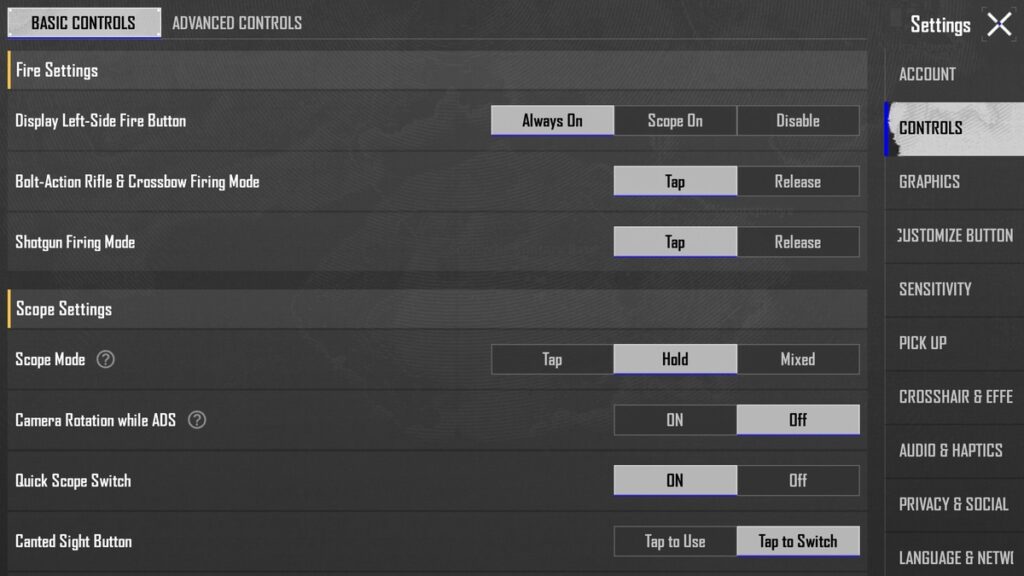
Basic Control :
Fire Settings
| Display Left-Side Fire Button | Always On |
| Shotgun Firing Mode | Tap |
| Bolt- Action Rifle & Crossbow Firing Mode | Tap |
Scope Settings
| Scope mode | Hold |
| Quick Scope Switch | ON |
| Camera Rotation while ADS | OFF |
| Canted sight button | Tap to switch |
| Focal Length Adjustment | Hold |
Peek Settings
| Peek | Enable |
| Peek mode | Hold |
| Camera Rotation while Peeking | OFF |
| Peek & Open Scope | OFF |
Advance Controls :
Features
| Universal Mark | ON |
| Mark Assist | ON |
| Headshot Sound Effects | OFF |
| Torso shot Sound Effects | ON |
| Knockdown & Elimination Sound Effects | ON |
| Jump/Climb | Separate |
| Firing Mode Button Display | Separate |
| Merge Crouch and Prone | OFF |
| Quick Throw | OFF |
| Throwables Quick Wheel | Switch |
| Throw Consumables | ON |
| Transparent UI Mode | ON |
| Slide ( Arena, WOW) | OFF |
| FPP Swap | ON |
| FPP Dynamic Holding | ON |
| TPP | 90 |
| FPP | 100 |
| Sprint Sensitivity | 88 |
| Mark style | Modern |
| Sprinting Interrupts Peek Mode | ON |
Assist Features
| Aim Assist | OFF |
| Main Screen Audio Markers | Disable |
| Auto-Mark Hit Locations | ON |
| Low Ammo Notice Sound | ON |
| Healing Prompt | ON |
| Continuously Use Bandages | ON |
| Auto-Open Doors | ON |
| Blocked Sight Warning | OFF |
| Horizontal Swipe Acceleration | ON |
| Match Auto Message | ON |
| Hold to Open Map | OFF |
| Show Throwable Trajectory Line | ON |
| Auto Equip Melee Weapon (Put Away Firearm) | OFF |
| Default Melee Weapon Carried | Dagger |
| Reload Interrupts Method | Fire Interrupt |
| Auto Jump | OFF |
| Tap to Mark Location | OFF |
| Default Parachute Follow | ON |
Gyroscope
| Gyroscope | Always On |
| Gyroscope Reverse | OFF |
| Throwables Gyro Aiming | OFF |
Aim
| Aim Features | OFF |
Recording & Spectating
| Highlight Moments | OFF |
| Loss Replay | ON |
| Limited Spectating Frame Rate | ON |
Teammate Armor Display Settings
| Hide Teammate Advance Armor in Lobby | OFF |
| Hide Teammate Advance Armor in Matches | OFF |
# 🏁 Final Verdict
BGMI me sirf skill important nahi hoti — correct settings bhi utni hi important hoti hain. Agar tumne upar diye gaye settings properly apply kiye, to tumhara aim, control aur gameplay clearly improve hoga.
Agar tum sach me apna game improve karna chahte ho, to sirf settings copy mat karo — samjho ki tumhare liye kya sahi hai aur uske hisaab se adjust karo.
Consistency aur practice se hi improvement aata hai, dheere-dheere tumhara spray khud stable ho jayega.
Aur agar tumhe apni perfect sensitivity banana nahi aata, to hamara sensitivity wala blog dekh lena — waha simple tareeke se samjhaya hai.
👇
Best BGMI settings depend on your device, control layout and playstyle. For stable aim, keep Camera Rotation while ADS OFF, Peek Mode on Hold, Quick Scope Switch ON and use sensitivity settings that match your own finger control.
Casual players can keep Aim Assist ON because it helps in close fights. Competitive players can try OFF for more manual control, especially if they already have good crosshair placement and recoil control.
No, gyroscope is not compulsory. Gyro can help in recoil drag, but non-gyro players can also control recoil with proper sensitivity, finger movement and regular spray practice.
Beryl M762 and MK14 are good for recoil practice because they have high recoil. If you practice with these guns, normal guns like M416 and SCAR-L may feel easier to control later.
Your spray goes upward because of recoil, wrong sensitivity, unstable finger drag or panic firing. Start with short sprays, practice recoil drag in training ground and avoid holding full spray without control.