

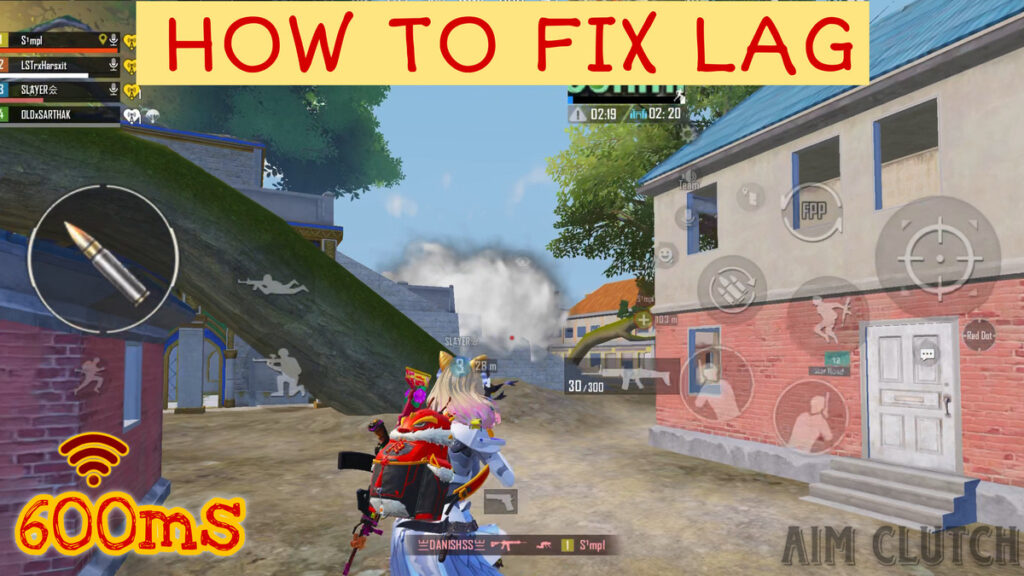
Introduction: Real Problem Jo Har Player Face Karta Hai
BGMI me lag sirf ek choti problem nahi hai — ye gameplay ko completely ruin kar deta hai.
- Close fight me delay feel hota hai
- Spray control lose ho jata hai
- Enemy late dikhte hain
- Frame drop ke wajah se aim unstable ho jata hai
Most players sochte hain:
“Device weak hai, isliye lag aa raha hai”
Reality:
Lag ek single reason se nahi hota.
BGMI lag =
Device Performance + Graphics Settings + Heating + Network + Background Load
Agar tum sirf ek cheez fix karte ho (jaise graphics), to full improvement nahi milega.
Is guide me tumhe ek complete system milega jo real gameplay me lag reduce karta hai.
This Guide Is For:
- Low-end device users
- Players jinko lag issue aa raha hai
- Rank push players jo stable FPS chahte hain
1. Why Most Players Still Face Lag (Even After Changing Settings)
Most players ye mistakes karte hain:
- Sirf graphics change kar dete hain
- Background apps ignore kar dete hain
- Heating control nahi karte
- Network stability check nahi karte
Result:
Lag thoda kam hota hai, but completely fix nahi hota
Key Insight:
BGMI ek heavy game hai.
Agar system balanced nahi hai, to lag aayega hi.
2. Best Graphics Settings (Real Tested Performance)
Graphics settings BGMI lag ka sabse bada factor hota hai.
Real Test Comparison
Maine 3 settings personally test ki:
Smooth + Extreme FPS
- Stable gameplay
- No major frame drop
- Long session smooth
HD + High FPS
- Starting me smooth
- 20–30 min baad frame drop
- Heating increase
HDR + Ultra FPS
- High load on device
- Overheating fast
- Sudden lag spikes
👉High graphics settings se GPU load increase hota hai, jisse overheating aur frame drop common ho jata hai — ye mobile gaming optimization ka basic principle hai.
Conclusion
Smooth + Maximum FPS = Best Combination
Ye combo:
- Device load kam karta hai
- FPS stable rakhta hai
- Long gaming sessions me bhi performance consistent deta hai
3. Perfect BGMI Settings (Copy & Apply)
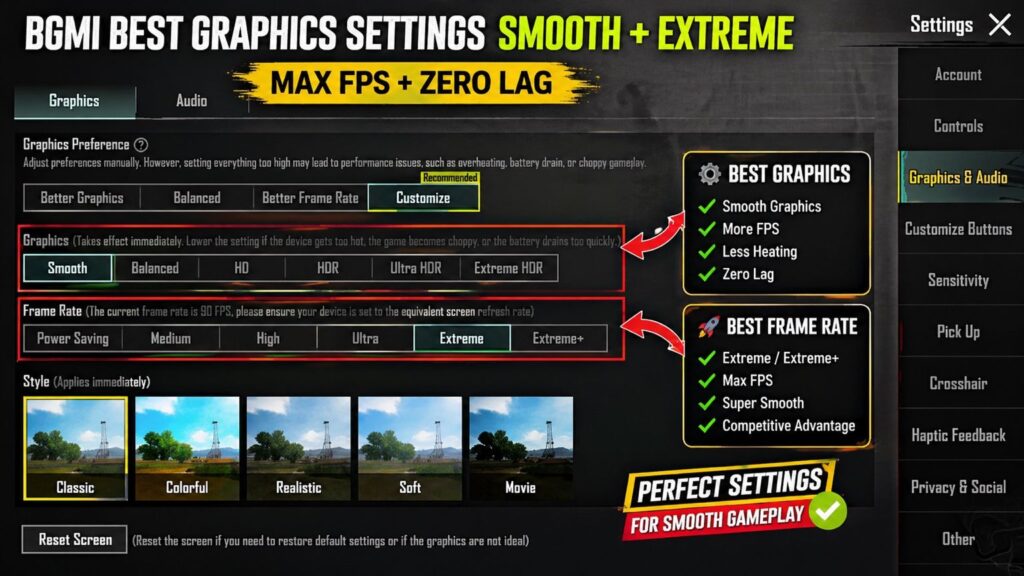
Use this exact setup:
- Graphics: Smooth
- Frame Rate: Highest available (Extreme / Extreme+)
- Style: Colorful (better visibility)
- Anti-Aliasing: OFF
- Shadows: OFF
- Auto Adjust Graphics: OFF
Why this works:
- GPU load minimum hota hai
- FPS stable rehta hai
- Random frame drops avoid hote hain
4. Storage & Game Size Impact (Hidden Lag Reason)
Most players is cheez ko ignore karte hain.
BGMI ka size agar 30GB+ ho jata hai:
- Device storage heavy ho jata hai
- Background loading increase hoti hai
- Performance slow ho jata hai
Practical Fix
- Unnecessary resources delete karo
- Sirf required maps aur skins rakho
- Regular cache clear karo
Result:
Game loading fast hota hai aur lag reduce hota hai
5. Background Apps Control (RAM Optimization)
Background apps silent performance killer hote hain.
Ye:
- RAM use karte hain
- CPU load badhate hain
- Device heat karte hain
Step-by-Step Fix
Before game start:
- Recent apps open karo
- “Clear All” press karo
- Sirf BGMI open rakho
Extra step:
- Heavy apps (Instagram, Chrome) → Force Stop
- Background data OFF (non-important apps ke liye)
Result:
- RAM free hota hai
- Game smooth feel hota hai
6. Heating Problem Fix (Most Important)
BGMI me overheating aur frame drop avoid karne ke liye niche diye gaye practical cooling methods follow karein:
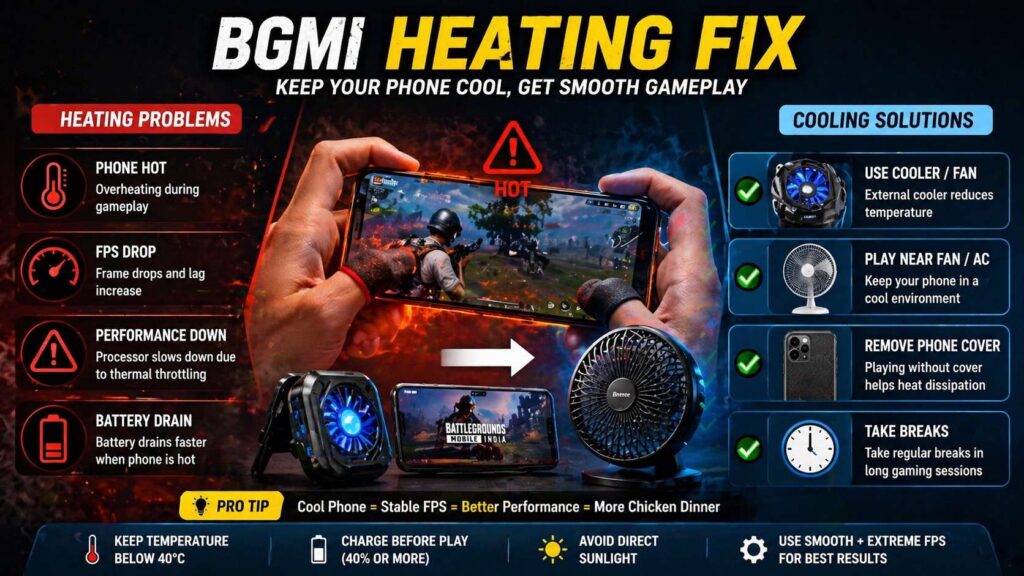
Heating control karna long gaming sessions me stable performance ke liye sabse important factor hota hai.
Jab phone heat hota hai:
→ Processor slow ho jata hai
→ FPS drop hota hai
→ Lag feel hota hai
Isko bolte hain: Thermal Throttling
Practical Solutions
- Fan ya AC ke saamne khelo
- Long session me breaks lo
- Phone cover remove karo
- Direct sunlight avoid karo
Extra Improvement (Optional)
- External cooling (mini fan / cooler) use kar sakte ho
Real Insight:
Cooling fix karte hi gameplay me noticeable improvement aata hai
7. Battery Optimization (Hidden Performance Drop)
Low battery = Low performance
Agar battery 20–30% par hai:
- CPU power reduce ho jati hai
- FPS drop start ho jata hai
Best Practice
- Always 40%+ battery par game khelo
- Battery saver OFF rakho
- High performance mode ON karo (agar available ho)
Avoid:
- Charging + gaming (heat double ho jata hai)
8. Internet Lag Fix (Low Ping Strategy)
BGMI me ping high hone ka matlab:
- Shots delay
- Enemy late visible
- Movement laggy
Real Problem
Har match smooth nahi hota — kyunki:
- Server load vary karta hai
- Network fluctuate hota hai
Step-by-Step Fix
- Stable network use karo
- WiFi > Mobile Data
- Background data OFF rakho
- Network refresh karo
- Airplane mode ON (10 sec) → OFF
- VPN avoid karo
Pro Insight
- 2–3 matches test karo
- Best network time identify karo
- Same time par daily play karo
9. 0ms Delay Feel Trick (Advanced)
Ye chhota lagta hai but impact bada hota hai.
Problem:
Touch delay ka reason sirf device nahi hota —
screen friction bhi hota hai
Fix
- Finger sleeves use karo
- Screen clean rakho
- Sweaty fingers avoid karo
Result:
- Aim smoother feel hota hai
- Spray control better hota hai
Agar aapko touch control aur sensitivity better karni hai, to aap hamara BGMI sensitivity guide check kar sakte ho.
10. Daily Lag Fix Routine (Follow This System)
BGMI me smooth gameplay ke liye niche diya gaya daily routine follow karein:
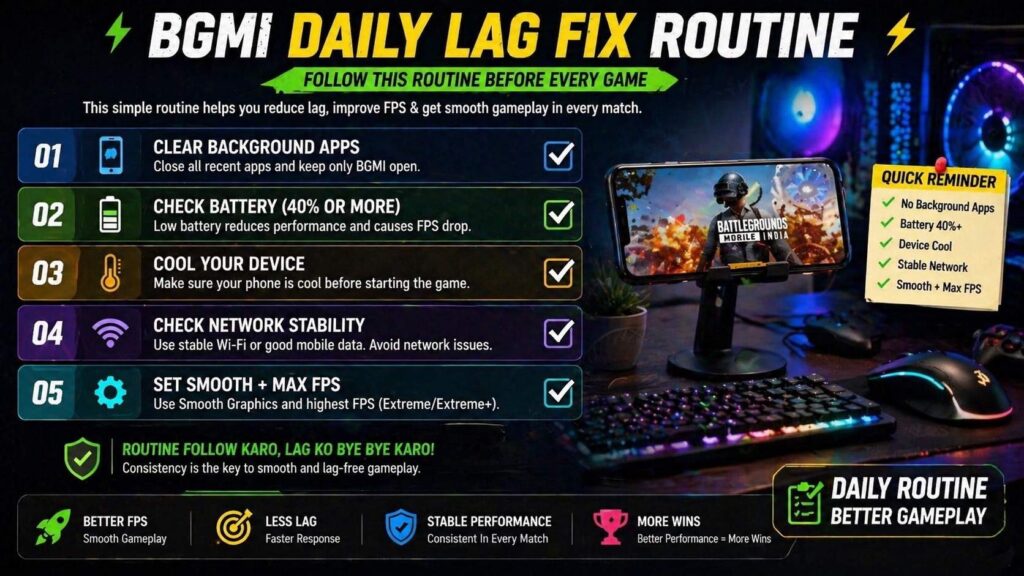
Ye routine follow karne se gameplay zyada stable aur responsive feel hota hai.
Game start se pehle ye routine follow karo:
- Background apps clear karo
- Battery 40%+ check karo
- Device cool karo
- Network stable check karo
- Smooth + max FPS set karo
Then game start karo.
Ye system follow karoge → lag control me aayega
11. My Real Gameplay Experience (Tested Result)
Maine personally ye system use kiya hai low-end aur mid-range devices par.
Before (Without Optimization):
- Frequent frame drops
- Close fight me delay
- 30–40 min me heating issue
After (After Applying This System):
- Gameplay zyada smooth feel hua
- Frame drops kaafi kam ho gaye
- Long sessions me performance stable raha
Daily 15–20 matches me difference clearly feel hota hai.
👉 “Ye guide practical gameplay testing aur real match experience par based hai.”
12. Settings Based on Device Type
Low-End Device:
- Graphics: Smooth
- FPS: Medium / High
- Anti-Aliasing: OFF
- Shadows: OFF
Focus: Stable gameplay
Mid-Range Device:
- Graphics: Smooth / Balanced
- FPS: High / Extreme
- Anti-Aliasing: OFF
Focus: Balance between visuals and performance
High-End Device:
- Graphics: Smooth / HD
- FPS: Extreme / Ultra Extreme
- Anti-Aliasing: Optional
Focus: Stable FPS over high graphics
13. Top Mistakes That Cause Lag
- High graphics use karna (low device par)
- Charging ke time game khelna
- Background apps band na karna
- Full storage ke saath game khelna
- Weak network me push karna
- Heating ignore karna
In mistakes ko avoid karte hi performance improve hoti hai.
14. Best Time to Play BGMI (Less Lag)
Maine observe kiya hai ki:
- Late night / early morning me server load kam hota hai
- Evening peak time me ping unstable hota hai
Pro Tip:
Agar possible ho to fixed low-traffic time par game khelo
15. Micro Tips
Chhoti chhoti cheezein but high impact:
Extra Lag Reduction Tips
Notifications mute karo (interruptions avoid)
Screen brightness medium rakho (heat kam hoti hai)
Vibration OFF karo (CPU load kam hota hai)
Auto updates OFF rakho (background usage band)
16. Quick Lag Fix Mapping
Agar aapko specific problem aa rahi hai, to ye quick fixes follow karein:
- Frame drop ho raha hai → Graphics Smooth karo + heating control karo
- High ping aa raha hai → Network refresh karo + background data band karo
- Aim unstable hai → FPS max karo + friction control karo
- Phone heat ho raha hai → Cooling + breaks lo
Ye quick mapping aapko instantly problem identify karne me help karegi.
Conclusion
BGMI lag ek simple problem nahi hai — ye multiple factors ka combination hai.
Agar tum sirf settings change karte ho:
→ Result limited milega
Real solution:
- Device load kam karo
- Heating control karo
- Network stable rakho
- Proper routine follow karo
Ye system maine khud use kiya hai aur real gameplay me difference feel hota hai.
Agar tum consistently ye follow karte ho, to gameplay smooth ho jayega — even low-end device par bhi.
Final Note (Important)
Perfect zero lag possible nahi hai
but controlled lag + stable FPS = best gameplay experience
👉Why You Lose Close Range Fights in BGMI: Real Problems & Pro Solutions
👇
Low device performance, high graphics settings, weak internet aur background apps iske main reasons hote hain.
Smooth graphics + Maximum FPS (High/Ultra/Extreme/Extreme+/Ultra Extreme) sabse best combo hai smooth gameplay ke liye.
Stable WiFi use karo, background data off rakho, airplane mode se network refresh karo aur VPN avoid karo.
Haan, overheating ki wajah se device performance reduce ho jati hai, jisse FPS drop aur lag hota hai.
Nahi, Battery Saver Mode performance ko limit karta hai, isliye gaming ke time ise OFF rakho.